
Hear notifications on your speaker
and Bluetooth headphones at once
Never miss a notification because of your headset. Notify Both plays your notification sounds on the phone speaker and your Bluetooth headset at the same time. Headset on or off, you hear every message.
Free for 7 days. Then a one-time purchase. No subscription, no ads.
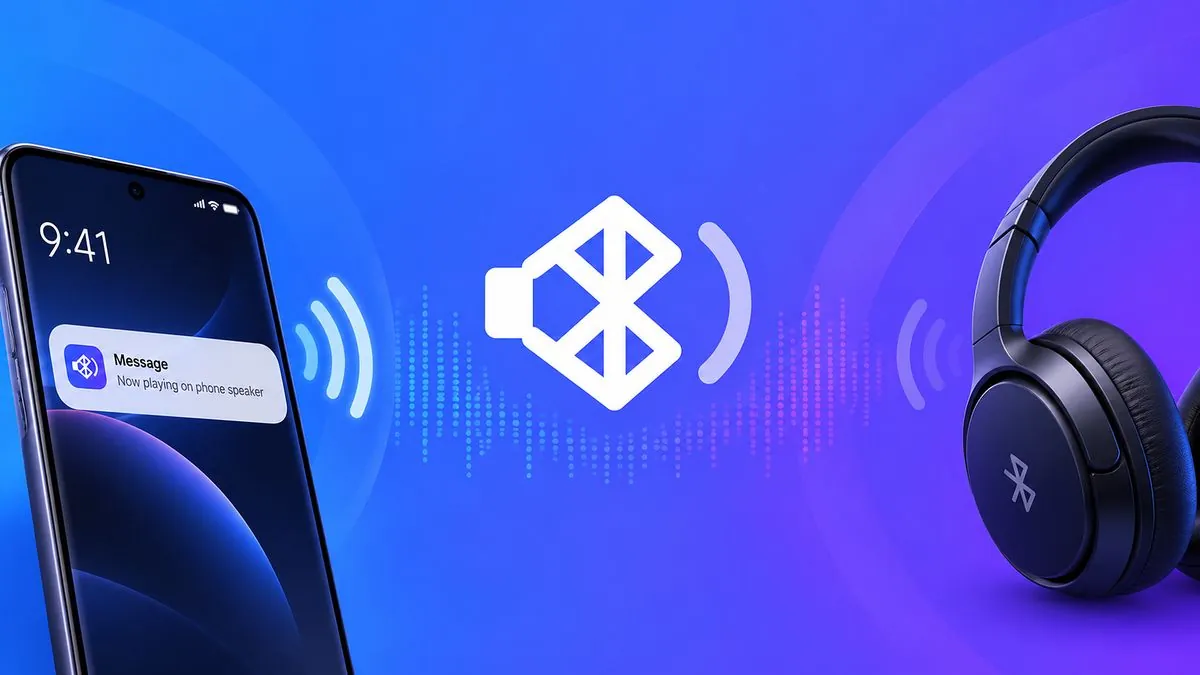
Why do notifications only play on my Bluetooth headphones?
When Bluetooth headphones, earbuds or a headset are connected, Android phones send notification sounds only to the headset, even when you are not wearing it. Put the headset down, or leave the earbuds in their case, and every message, email and reminder plays silently into it. Android has no built-in setting to play notifications on the phone speaker and the headset together.
Notify Both fixes that. It is an Android app by Controllerbyte that notices when a notification makes a sound and plays it where you choose: the phone speaker, the headset, or both. It works on Android 8 or newer and is built for Xiaomi, Redmi and POCO phones with HyperOS.
What you get
- Every notification sound, also on the phone speaker
- Each app's own sound, not a generic beep
- Quiet when the phone is on silent, vibrate or Do Not Disturb
- Quiet during phone calls
- A simple setup screen with a green tick for each step
Play notification sounds on the speaker, the headset or both
Pick one option in the app. Notify Both does the rest in the background whenever a Bluetooth headset is connected.
Both Default
The phone speaker and the headset play the sound together. You hear it whether the headset is on your ears or on the table.
Speaker
Only the phone speaker plays the sound. Useful when the headset is connected but you are not wearing it.
Headset
Only the headset plays the sound, clearly and in full, even when nothing else is playing on it.
Small app, done right
Works with your apps
WhatsApp, Viber, Messenger, Telegram, Signal, Gmail, SMS, Calendar and any other app that plays a notification sound.
Respects your quiet time
Silent mode, vibrate mode and Do Not Disturb are respected. No sounds during phone calls.
Smart during videos
While you watch videos or listen to music, your headset already plays the sound, so the app only adds the speaker.
Guided setup
HyperOS turns several settings off by default. The app shows each one with a button that opens the right screen, and a green tick when it is done.
One-tap test
Tap "Test the app" to hear a notification sound exactly the way a new message would play it.
Help when you need it
If something does not work, tap "Email log" and your email app opens with everything we need to help you.
Everything on one screen
Choose where sounds play, follow the setup steps, check the status and test it.
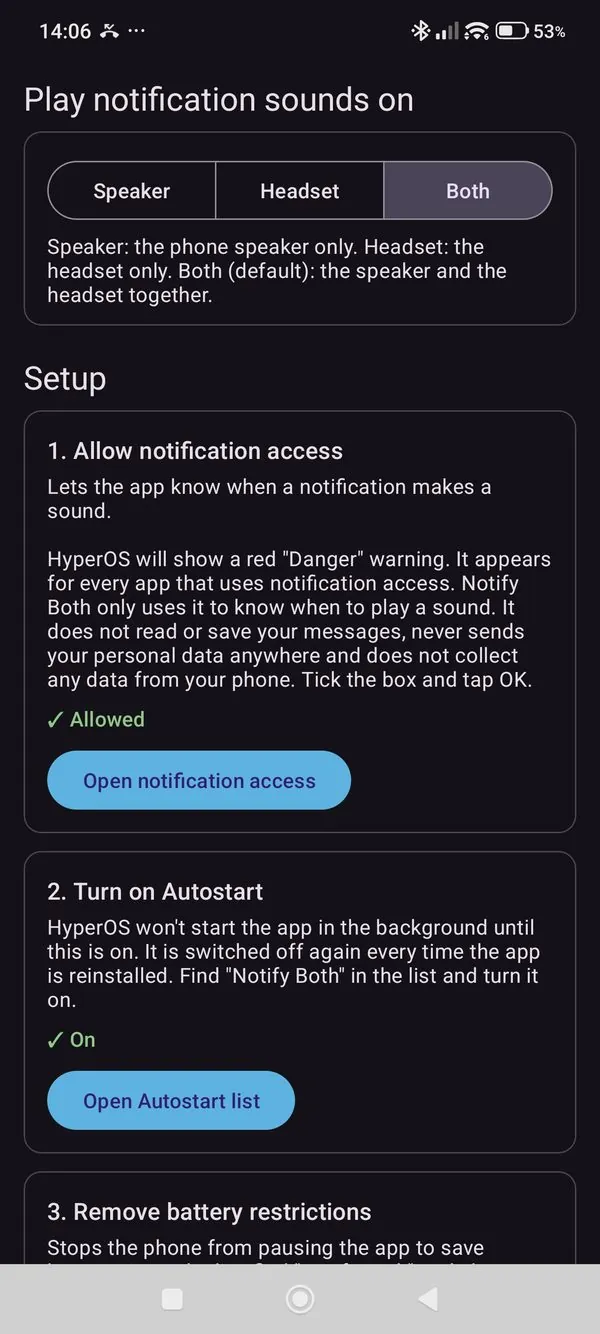
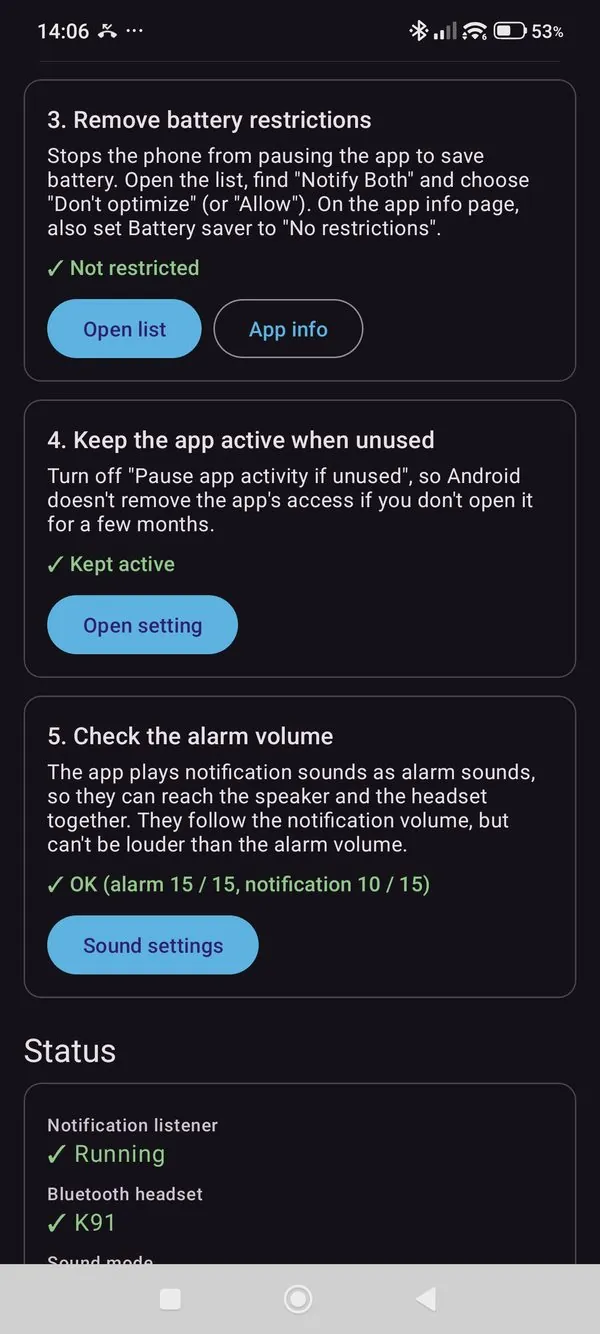
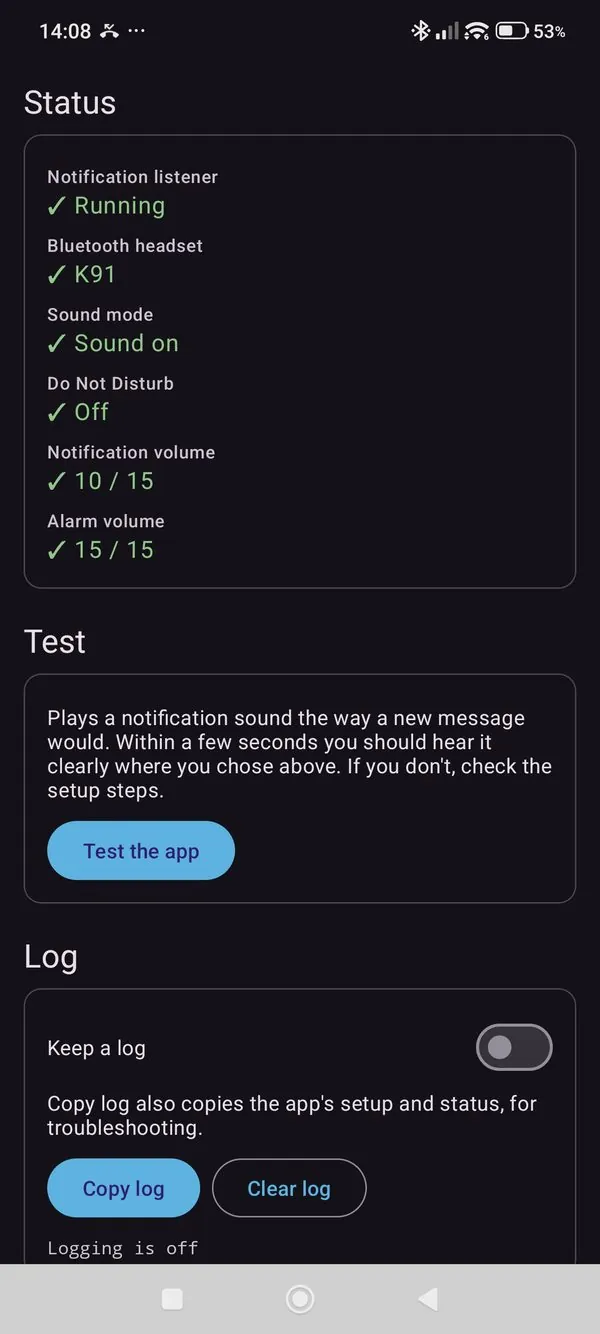
Built and tested on Xiaomi, Redmi and POCO phones
HyperOS is strict with background apps. Notify Both knows exactly which settings it needs and walks you through each one in about two minutes.
It can also be installed on other Android phones with Android 8 or newer.
Read more: why Xiaomi phones play notifications only on the headset.
Open the HyperOS setup guideAbout the red "Danger" warning
When you allow notification access, HyperOS shows a red warning. It appears for every app that uses notification access, such as smartwatch and notification history apps.
Notify Both only uses this access to know when a notification makes a sound. It does not read or save your messages. See how to allow notification access.
Then a small one-time purchase unlocks the app for good.
- Everything works during the free week
- No subscription and no ads
- Bought once, works on your new phone too
Your data stays on your phone
Notify Both never sends your personal data anywhere and does not collect any data from your phone. It does not read, save or send the text of your messages.
Read the privacy policy- No account, no sign-in
- No advertising and no tracking
- No analytics in the app
- Payments handled entirely by Google Play
Frequently asked questions
Why does the app need notification access?
It is the only way Android lets an app know that a notification has just made a sound. Notify Both uses it for that and nothing else.
Why does HyperOS show a red "Danger" warning?
HyperOS shows this warning for every app that asks for notification access. The list on that screen is Xiaomi's general text for this permission, not what Notify Both does. Tick the box and tap OK.
Does the app read my messages?
No. It only notices that a notification makes a sound and which sound it is. It does not read, save or send the text of your messages, and nothing leaves your phone.
It stopped working after I reinstalled the app.
HyperOS switches Autostart off every time an app is installed again. Open Notify Both and follow any step that does not have a green tick. See how to turn Autostart back on.
What happens after the 7 free days?
Notification sounds are no longer played by the app until you unlock it with a one-time purchase in the app. Your settings stay as they are.
I bought the app. Do I have to pay again on a new phone?
No. Use the same Google account on the new phone and the app unlocks itself when you open it.
Will it play sounds during a phone call?
No. The app stays quiet during calls, and also when the phone is on silent, vibrate or Do Not Disturb.
Something does not work. How do I get help?
In the app, turn on "Keep a log", wait until the problem happens again, then tap "Email log" and send the email. Or write to us by email.